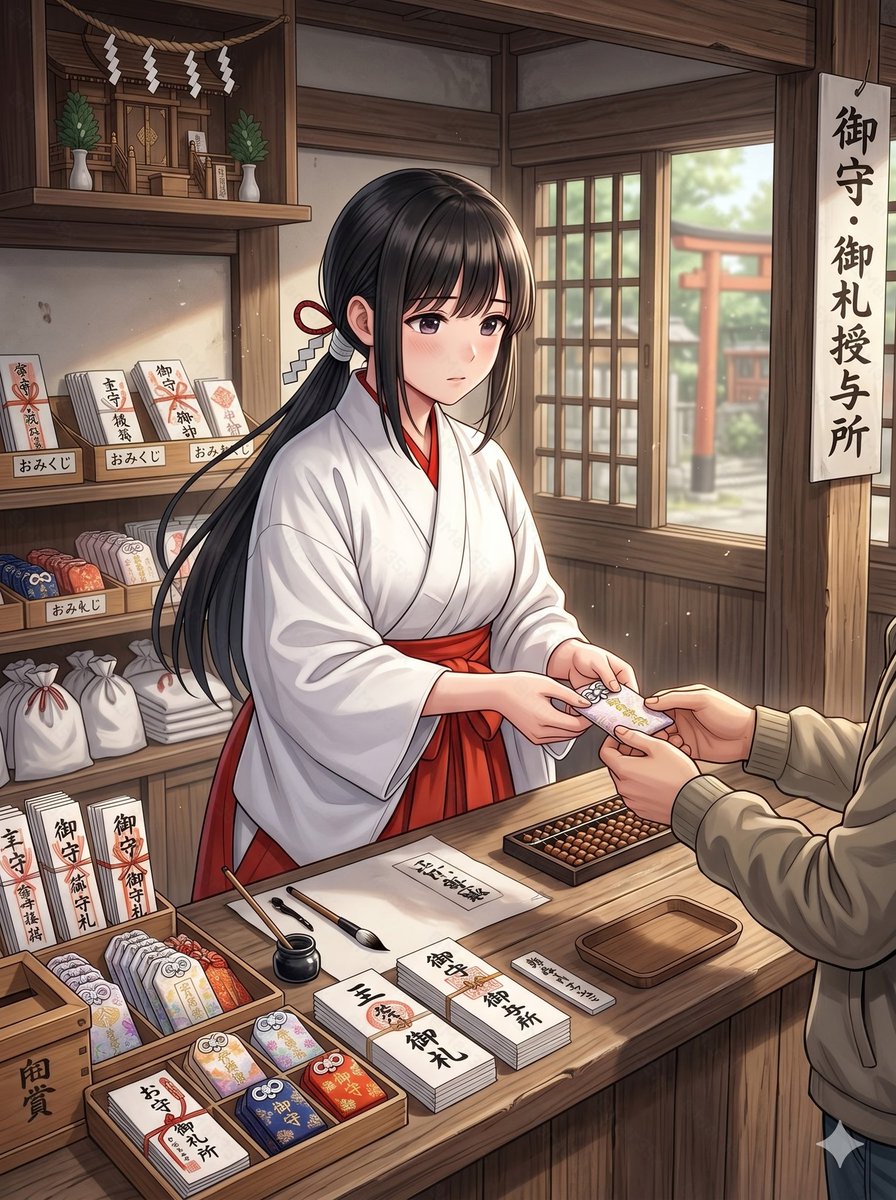
Anime-Schreinmädchen Omamori-Zähler
Diese Vorgabe erzeugt eine detaillierte Anime-Illustration einer Miko, die Schrein-Amulette an einem hölzernen Schrein-Tresen verkauft. Sie eignet sich für Charakter-Szenen oder stimmungsvolle Darstellungen kultureller Umgebungen.
Dies ist ein GPT Image 2 -Prompt für Anime & Spiel . Verwenden Sie den unten stehenden, kopierfertigen Prompt, um ähnliche Grafiken zu erstellen, und überprüfen Sie vor der Wiederverwendung Awesome GPT Image 2 Prompts -Quellenangaben sowie die kommerziellen Nutzungsrechte.
Free 1K preview
Generate one preview image instantly, no sign-up required.
Eingabeaufforderung
Kopierfertige Eingabeaufforderung
A clean anime-style illustration of a young shrine maiden working at a traditional Japanese shrine amulet counter inside a warm wooden building. She is a single female subject shown from about waist up behind the counter, Show every face clearly with natural, detailed facial features, long straight {argument name="hair color" default="black"} hair tied back with a red cord and white paper zigzag shrine ornament, wearing a white kimono top and vivid {argument name="hakama color" default="red"} hakama. She is politely handing a protective charm to a visitor across the counter; only the visitor’s hands, torso, and beige jacket sleeves are visible in the foreground. The scene should feel calm, respectful, and softly lit by daylight coming through a wooden lattice window on the right, where a red torii gate and shrine grounds are visible outside in gentle blur. The interior is richly detailed with dark natural wood beams, shelves, and a small kamidana altar in the upper left decorated with 4 hanging white shide paper streamers and 2 green sakaki plants in white vases. On the right hangs a vertical sign with the Japanese text "御守・御札授与所". On the left shelves are shrine goods and signs: 3 small shelf labels reading "おみくじ", multiple stacks of paper fortunes and talismans, white drawstring bags, and upright placards including "御守", "御札", and "交通安全". The countertop is neatly arranged with 3 shallow wooden display trays of colorful omamori charms, 5 visible tabletop paper labels or stacks reading "厄除", "御守", "御札", "御朱印", and "御礼", plus a black ink pot, 2 writing brushes, a small empty wooden tray, a rectangular abacus, and bundled paper items. The charm being exchanged should be a delicate pastel omamori with floral decoration and a tied cord. Use a polished contemporary anime illustration style with fine linework, soft shading, realistic hand posing, subtle dust motes in the air, and strong emphasis on the subject and counter interaction rather than dramatic stylization.Eingabeaufforderungsvariablen
In der Eingabeaufforderung befinden sich bearbeitbare Argumentplatzhalter mit ihren Standardwerten.
Best for
- - Anime & Spiel visual exploration
- - Image generation and reference-image edits
- - Reusable briefs that keep source attribution visible
Change these parts
- - Subject, product, character, or scene
- - Aspect ratio, camera, lighting, and background
- - Brand, text, color, and output constraints
Recommended model and settings
- - Model: gpt-image-2
- - Input mode: Text zu Bild
- - Aspect ratio: source
- - Commercial status: review original source
How to use this prompt
- 1. Copy the prompt and preserve its structure for the first test.
- 2. Replace the subject, context, and publishing channel.
- 3. Change one camera, lighting, or style variable per iteration.
- 4. Inspect the output, source, text, and rights before reuse.
Limitations, source, and reuse cautions
- - Generated output is an editable draft, not factual, legal, or rights evidence.
- - Review the linked source, people, brands, logos, text, and third-party media before commercial use.
Weitere Fälle in dieser Kategorie
Priorisiert nach Kategorie, Kompatibilität der Eingabemodi, Qualität und geringerem Risiko.






Hinweise zur Wiederverwendung und Quellenangabe
Verwenden Sie diese Eingabeaufforderung sicher, nachdem Sie den Fall in der Vorschau angezeigt haben.
- 1.Kopieren Sie die Eingabeaufforderung oder öffnen Sie sie direkt in Dovoo mit der Schaltfläche „Generieren“.
- 2.Passen Sie Variablen, Seitenverhältnis und Referenzbilder an Ihren Anwendungsfall an.
- 3.Vor der Veröffentlichung oder kostenpflichtigen Nutzung sollten Sie die Rechte an der Quelle, die Anforderungen an die Namensnennung sowie die Risiken für die Marke oder das Abbild prüfen.