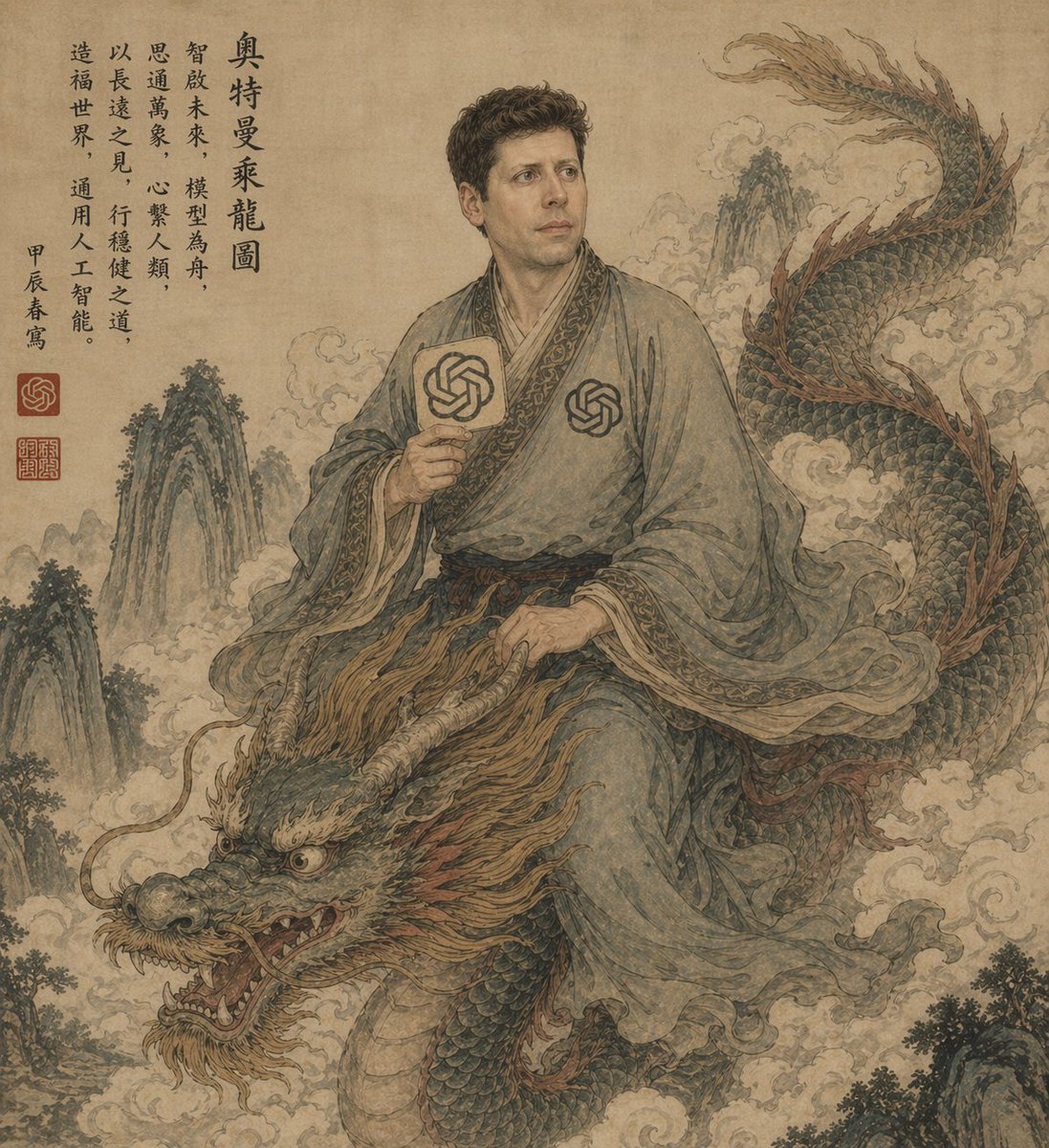
Gelehrter reitet auf einem Drachen, während er auf einer alten Schriftrolle reitet
Diese Eingabeaufforderung erzeugt ein Fantasy-Porträt im Stil einer klassischen chinesischen Schriftrolle, das einen gewandeten Gelehrten auf einem Drachen zeigt, mit Kalligrafie und subtilen modernen KI-Symbolen, ideal für Plakatkunst oder stilisierte redaktionelle Bilder.
Dies ist ein GPT Image 2 -Prompt für Illustration & Kunst . Verwenden Sie den unten stehenden, kopierfertigen Prompt, um ähnliche Grafiken zu erstellen, und überprüfen Sie vor der Wiederverwendung Awesome GPT Image 2 Prompts -Quellenangaben sowie die kommerziellen Nutzungsrechte.
Free 1K preview
Generate one preview image instantly, no sign-up required.
Eingabeaufforderung
Kopierfertige Eingabeaufforderung
An ancient Chinese ink-and-wash style portrait on aged tan parchment, composed like a classical hanging scroll. A scholarly East Asian man in flowing gray-blue robes sits side-saddle atop a long serpentine Chinese dragon emerging through swirling clouds. Show every face clearly with natural, detailed facial features. He has short dark curly hair and wears layered traditional robes with ornate patterned trim, a dark sash belt, and two modern OpenAI knot emblems worked into the costume: one printed on the chest and one on a round hand fan he holds upright in his right hand. His left hand rests near the dragon's mane as if holding the creature steady. The dragon is large and detailed, with blue-green scales, a pale underbelly, reddish-brown mane and fin accents, antler-like horns, whiskers, bared teeth, and a fierce expressive face in the lower left foreground, while its body coils upward to the upper right. Surround the figures with mist, stylized clouds, and steep craggy mountain peaks fading into the background. Add a vertical column of black Chinese calligraphy at the upper left and 3 red seal stamps near the lower part of the inscription area. The palette is muted, dusty, and antique: parchment beige, faded teal, moss green, smoky gray, sepia, and rust. Overall feeling: mythical, scholarly, dignified, slightly surreal, blending classical Chinese scroll painting with subtle modern AI iconography. Highly detailed brushwork, weathered paper texture, elegant composition, no border, full-frame vertical artwork.
Best for
- - Illustration & Kunst visual exploration
- - Image generation and reference-image edits
- - Reusable briefs that keep source attribution visible
Change these parts
- - Subject, product, character, or scene
- - Aspect ratio, camera, lighting, and background
- - Brand, text, color, and output constraints
Recommended model and settings
- - Model: gpt-image-2
- - Input mode: Text zu Bild
- - Aspect ratio: source
- - Commercial status: review original source
How to use this prompt
- 1. Copy the prompt and preserve its structure for the first test.
- 2. Replace the subject, context, and publishing channel.
- 3. Change one camera, lighting, or style variable per iteration.
- 4. Inspect the output, source, text, and rights before reuse.
Limitations, source, and reuse cautions
- - Generated output is an editable draft, not factual, legal, or rights evidence.
- - Review the linked source, people, brands, logos, text, and third-party media before commercial use.
Weitere Fälle in dieser Kategorie
Priorisiert nach Kategorie, Kompatibilität der Eingabemodi, Qualität und geringerem Risiko.






Hinweise zur Wiederverwendung und Quellenangabe
Verwenden Sie diese Eingabeaufforderung sicher, nachdem Sie den Fall in der Vorschau angezeigt haben.
- 1.Kopieren Sie die Eingabeaufforderung oder öffnen Sie sie direkt in Dovoo mit der Schaltfläche „Generieren“.
- 2.Passen Sie Variablen, Seitenverhältnis und Referenzbilder an Ihren Anwendungsfall an.
- 3.Vor der Veröffentlichung oder kostenpflichtigen Nutzung sollten Sie die Rechte an der Quelle, die Anforderungen an die Namensnennung sowie die Risiken für die Marke oder das Abbild prüfen.