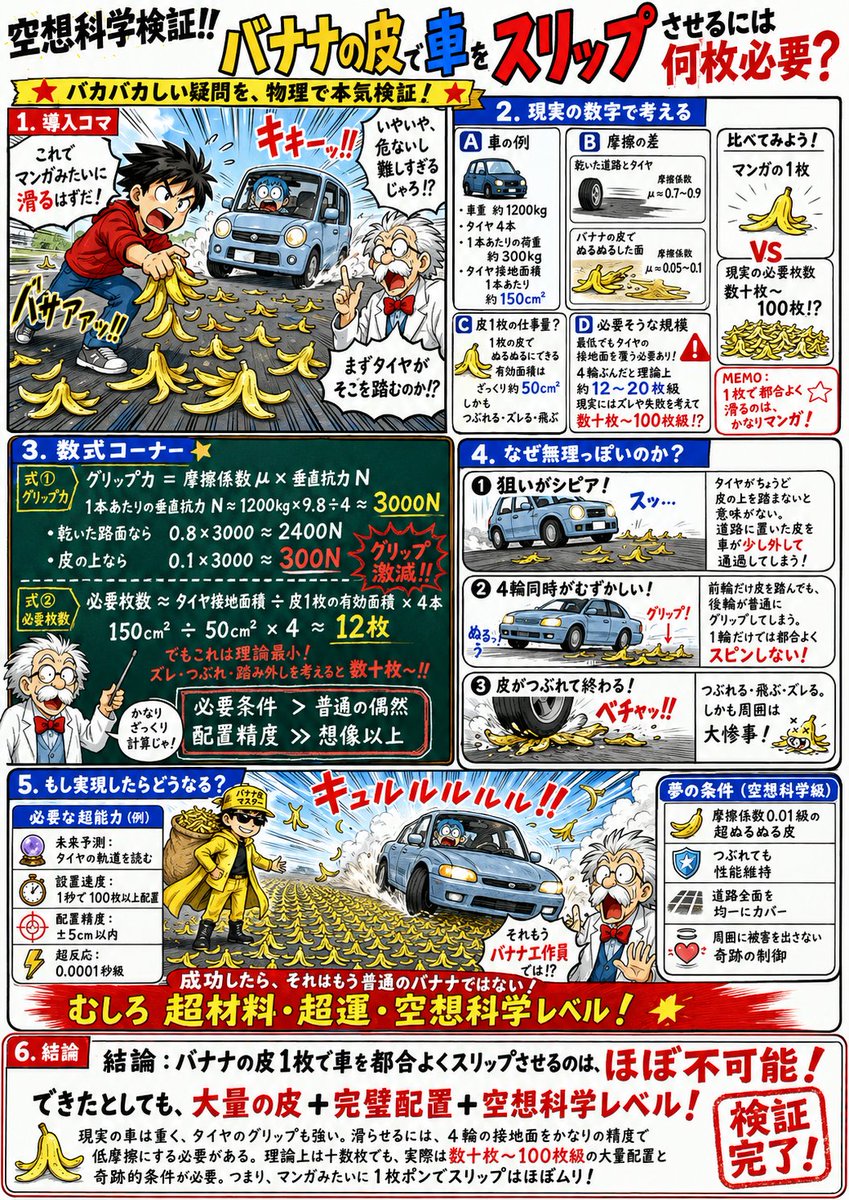
Generator für fiktive Wissenschaftsinfografiken
Eine sehr detaillierte, strukturierte Anleitung zur Erstellung von Comic-Infografiken im Retro-Stil, die absurde fiktive Szenarien mit seriösen wissenschaftlichen Berechnungen und Diagrammen untermauern.
Dies ist ein GPT Image 2 -Prompt für Illustration & Kunst . Verwenden Sie den unten stehenden, kopierfertigen Prompt, um ähnliche Grafiken zu erstellen, und überprüfen Sie vor der Wiederverwendung Awesome GPT Image 2 Prompts -Quellenangaben sowie die kommerziellen Nutzungsrechte.
Free 1K preview
Generate one preview image instantly, no sign-up required.
Eingabeaufforderung
Kopierfertige Eingabeaufforderung
Create a comical scientific explanation illustration. The verification theme is "{argument name="validation theme" default="How many banana peels are needed to make a car slip?"}"

A vertical A4 manga-style infographic that seriously verifies absurd questions with science and calculations. White background, thick black lines, and emphasis colors of red, blue, and yellow. A design reminiscent of retro educational manga, science reference books, or scientific columns. Use a professor character, surprised people, speech bubbles, hand-drawn arrows, red pen annotations, and chalkboard-style formula boxes. The overall atmosphere should be 'using physics to verify a silly question with full effort,' making it fun, energetic, and not too serious.

Structure:

1.
Depict the theme's situation in an exaggerated and ridiculous way that is understood at a glance. The characters are trying their best, but the appearance is quite reckless. The professor interjects with a comment from the side.

2. Thinking with Real Numbers
Display 3 to 4 boxes of important values related to the theme, such as speed, time, distance, weight, force, temperature, or energy. Include comparison charts or timelines to clearly show the gap between 'human senses' and the 'scale of the phenomenon.'

3. Formula Corner
Draw necessary conditions or comparison formulas largely in chalkboard-style frames. Example: 'Required Ability > Human Limit' 'Reaction Time < Time Phenomenon Occurs' 'Required Force/Speed/Durability ≫ Normal Human.' Formulas don't need to be strictly accurate; keep them intuitive and easy to understand.

4. Is Realization Impossible?
Explain problem points using three small panels. Example: ① Too fast / Too heavy / Too hot ② Precision is too severe ③ Even if successful, the body won't hold out / Surroundings will be in trouble. Include comical failure illustrations, onomatopoeia, and speech bubbles.

5. What If It Was Realized?
Make this part important. Illustrate what superhuman or speculative scientific abilities would be needed to actually succeed. For example, super reflexes, future prediction, abnormal grip strength, ultra-high-speed vision, physical ability to ignore air resistance, or a skeleton that can withstand impact. If necessary, use scientifically impossible numbers like 'reaction speed 0.0001s,' 'grip strength 3000kg,' or 'dynamic vision dozens of times that of a fighter pilot.' Furthermore, depict what happens the moment it is realized. Example: an impact that blows an arm off, sinking into the ground, shockwaves in the surroundings, while the person themselves remains calm. Bring out the 'if successful, they are no longer human' feeling in a fun way.

6. Conclusion
Write the conclusion largely in a red highlighted frame. 'Conclusion: XX is almost impossible for a normal human!' or 'Even if realized, it would be at a superhuman, cyborg, or speculative science level!' Summarize it in a way that states it's impossible for real humans but achievable with speculative scientific abilities.

Design Specifications: Manga paneling + science illustrations + professor's commentary. Use thick headings, red circles, emphasis lines, hand-drawn notes, and speech bubbles frequently. Formulas and numerical values should be large and easy to read, conveying the message intuitively even to children. Finish it like a page from an interesting science reading that is absurd yet strangely convincing.
Eingabeaufforderungsvariablen
In der Eingabeaufforderung befinden sich bearbeitbare Argumentplatzhalter mit ihren Standardwerten.
Best for
- - Illustration & Kunst visual exploration
- - Image generation and reference-image edits
- - Reusable briefs that keep source attribution visible
Change these parts
- - Subject, product, character, or scene
- - Aspect ratio, camera, lighting, and background
- - Brand, text, color, and output constraints
Recommended model and settings
- - Model: gpt-image-2
- - Input mode: Text zu Bild
- - Aspect ratio: source
- - Commercial status: review original source
How to use this prompt
- 1. Copy the prompt and preserve its structure for the first test.
- 2. Replace the subject, context, and publishing channel.
- 3. Change one camera, lighting, or style variable per iteration.
- 4. Inspect the output, source, text, and rights before reuse.
Limitations, source, and reuse cautions
- - Generated output is an editable draft, not factual, legal, or rights evidence.
- - Review the linked source, people, brands, logos, text, and third-party media before commercial use.
Weitere Fälle in dieser Kategorie
Priorisiert nach Kategorie, Kompatibilität der Eingabemodi, Qualität und geringerem Risiko.






Hinweise zur Wiederverwendung und Quellenangabe
Verwenden Sie diese Eingabeaufforderung sicher, nachdem Sie den Fall in der Vorschau angezeigt haben.
- 1.Kopieren Sie die Eingabeaufforderung oder öffnen Sie sie direkt in Dovoo mit der Schaltfläche „Generieren“.
- 2.Passen Sie Variablen, Seitenverhältnis und Referenzbilder an Ihren Anwendungsfall an.
- 3.Vor der Veröffentlichung oder kostenpflichtigen Nutzung sollten Sie die Rechte an der Quelle, die Anforderungen an die Namensnennung sowie die Risiken für die Marke oder das Abbild prüfen.