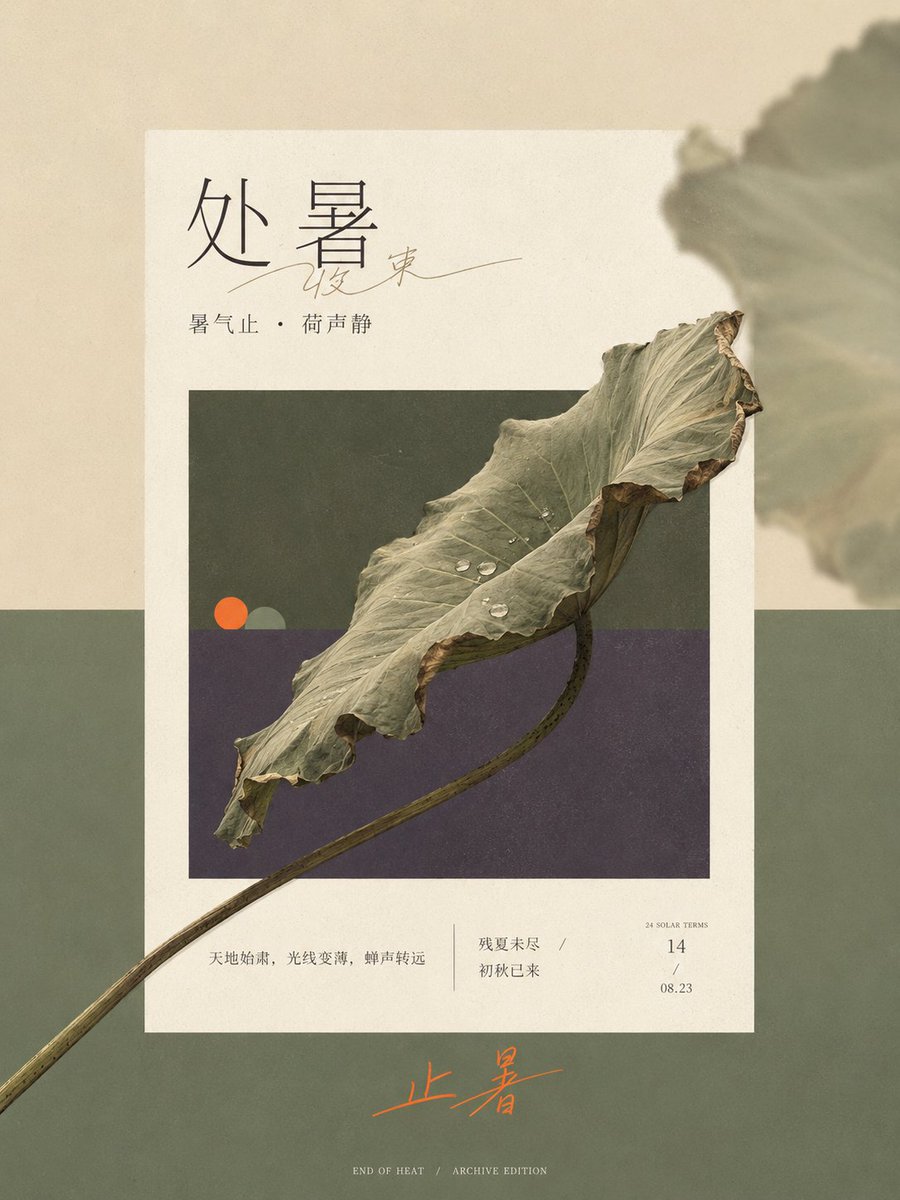
Solar Terms Editorial Visual
A sophisticated layout prompt for GPT-image2 that creates narrow vertical editorial visuals with multi-layered planar spaces and cross-border core forms.
Dette er et GPT Image 2 -eksempel på en prompt for Grafik og plakat . Brug den kopieringsklare prompt nedenfor til at generere lignende visuelle elementer, og gennemgå Awesome GPT Image 2 Prompts -kreditering samt kommercielle brugsrettigheder før genbrug.
Har du brug for det fulde promptsæt? Brug Grafik og plakat emnehub for flere relaterede eksempler, eller åbn GPT Image 2 hurtig katalog for det fulde eksempelindeks, genanvendelige strukturer og kildeattribution.
Free 1K preview
Generate one preview image instantly, no sign-up required.
Free text preview doesn’t preserve reference-image consistency.
4000/4000
Hurtig
Klar til kopiering
Generate a very narrow and long vertical editorial visual based on the {argument name="theme" default="End of Heat solar term"}. Let the external large color field, central warm white paper page, and the retracted theme window form three clear planar spaces. First, derive two structural colors from the state contrast and emotional temperature of the theme, covering the vast majority of the screen with a hard horizontal boundary. In the embedded window, repeat this set of divisions in the same direction and in a reduced proportion; the outer field is brighter and emptier, the inner window is deeper and denser, and paper white serves as the layer with the highest brightness of the whole painting. The weight of the screen is concentrated in the middle, the upper part retains a wide title area, and the lower part leaves a stretched emotional landing point. The edges of the paper are straight, no heavy floating shadows are used, and a wide annotation band is kept under the window.

Extract a continuous and recognizable core form from the direction, process, structural connection, and time change of the theme, organize it into a single oblique axis running through the middle, making it cross at least two boundaries from inside the window, pressing on the frame, entering the white space of the paper, and extending to the external color field. The cross-border form remains complete and continuous, the endpoints crossing the edge retain the clearest recognizable outline, and local details are moderately compressed; local forms go from dense to sparse along the oblique axis, and other auxiliary objects are reduced to quiet small geometric focal points, stably remaining inside the window and close to the color field boundary. Let the horizontal color boundary, vertical frame, rectangular paper, and inner window maintain a strict orthogonal order; only the core theme gets the right to break the rules, establishing space with accurate occlusion relationships rather than relying on perspective or dramatic projections.

Arrange a few homologous echoes on one edge of the theme's momentum: enlarge, crop, and reduce the transparency and contrast of the core form, strongly defocusing it until only soft color blocks remain, partially extending out of the canvas; the central subject remains clear, and the other side remains clean, giving the planar color field a shallow sense of air and memory. Color maintains a clear area order, with two structural colors together occupying about 80% of the screen. The theme's mediating color crosses two fields and stitches together cold/warm or state differences. A small-area emphasis color appears only twice at a long distance: at the visual focus inside the window and at the text gesture outside the paper. The specific hues change with the theme, but the brightness relationship remains stable with paper white being the highest, a few deep outlines pressing on the structure, and the emphasis color winning by saturation rather than area.

The text system continues the order and cross-border relationship of the image. The main title uses a slender, sharp, highly contrasting stroke, and exquisite editorial serif skeleton; Chinese adopts a thin and book-like typeface with relaxed spacing. Transform a keyword into a continuous free handwritten thin line, gently passing through or adjoining the printed title, forming a private handwriting that echoes the oblique axis of the theme. Explanatory information is indented at the bottom of the paper, listed in two groups of small fonts and date-type micro-words. The bottom edge outside the paper can use a set of handwritten text with long closing strokes to carry the second emphasis color, leaving only minimal metadata at the very bottom. Let titles, images, annotations, and footers decrease in density in sequence, not allowing text to press on the core recognition edges.

Process objects with non-directional soft daylight and low shadows, so the theme retains limited real material while still obeying planar color blocks. The entire image is covered with very light art paper fibers, fine printing dots, and low-contrast scanning particles; textures in the paper and window are slightly more obvious, and the outer pure color field is more restrained. The edges of objects allow for tiny printing softening and color bleeding, while key outlines and typeforms remain clean. The final image first presents a white paper window in a two-color long format and a theme form growing continuously from inside to outside the window, then reveals defocused edge shadows, exquisite headers, handwritten intervention, and micro-annotations, forming a modern paper-print visual where strict editorial order and a fresh sense of time coexist.
Theme: {argument name="theme" default="End of Heat solar term"}

Ratio 3:4
Promptvariabler
Redigerbare argumentpladsholdere fundet i prompten med deres standardværdier.
Variabel
theme
Misligholdelse
End of Heat solar term
Best for
- - Grafik og plakat visual exploration
- - Image generation and reference-image edits
- - Reusable briefs that keep source attribution visible
Change these parts
- - Subject, product, character, or scene
- - Aspect ratio, camera, lighting, and background
- - Brand, text, color, and output constraints
Recommended model and settings
- - Model: gpt-image-2
- - Input mode: Billede til billede
- - Aspect ratio: source
- - Commercial status: review original source
How to use this prompt
- 1. Copy the prompt and preserve its structure for the first test.
- 2. Replace the subject, context, and publishing channel.
- 3. Change one camera, lighting, or style variable per iteration.
- 4. Inspect the output, source, text, and rights before reuse.
Limitations, source, and reuse cautions
- - Generated output is an editable draft, not factual, legal, or rights evidence.
- - Review the linked source, people, brands, logos, text, and third-party media before commercial use.
Importeret fra Awesome GPT Image 2 Prompts . Kreditering er påkrævet. Status for kommerciel brug er allowed ; gennemgå kilderettighederne før betalt brug.
Flere sager i denne kategori
Prioriteret efter kategori, kompatibilitet med inputtilstande, kvalitet og lavere risiko.

Multi-Pose Wavy Dark Hair Portrait
Billede til billede

Dark Forest Glowing Book
Billede til billede

Split Face Horror Transformation
Billede til billede
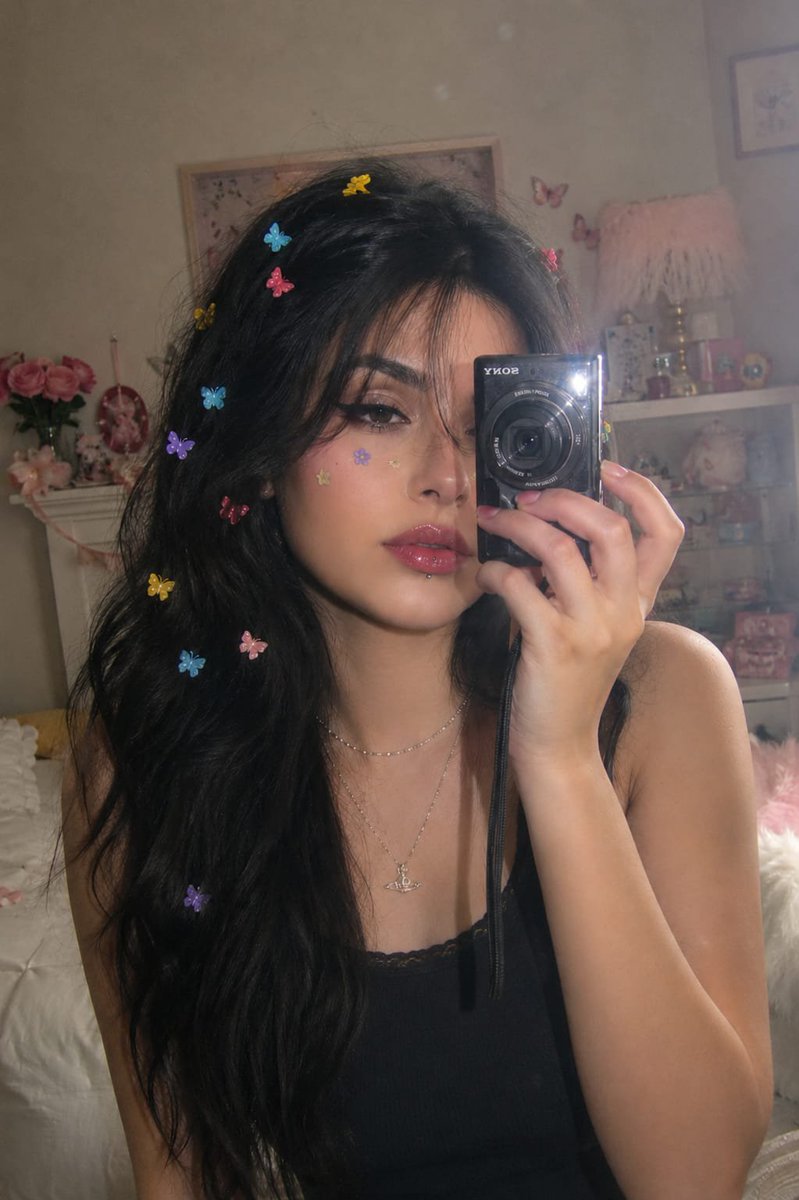
Vintage Digital Camera Mirror Selfie
Billede til billede

Dax Cinematic Character Bible Sheet
Billede til billede

Luxury Brand Campaign Prompt Template
Tekst til billede
Genbrug og kildenoter
Brug denne prompt sikkert efter at have gennemgået sagen.
- 1.Kopier prompten, eller åbn den direkte i Dovoo med genereringsknappen.
- 2.Juster variabler, billedformat og referencebilleder til din egen brug.
- 3.Før udgivelse eller betalt brug skal du verificere kilderettigheder, krav til kreditering og risici forbundet med branding eller lighed.