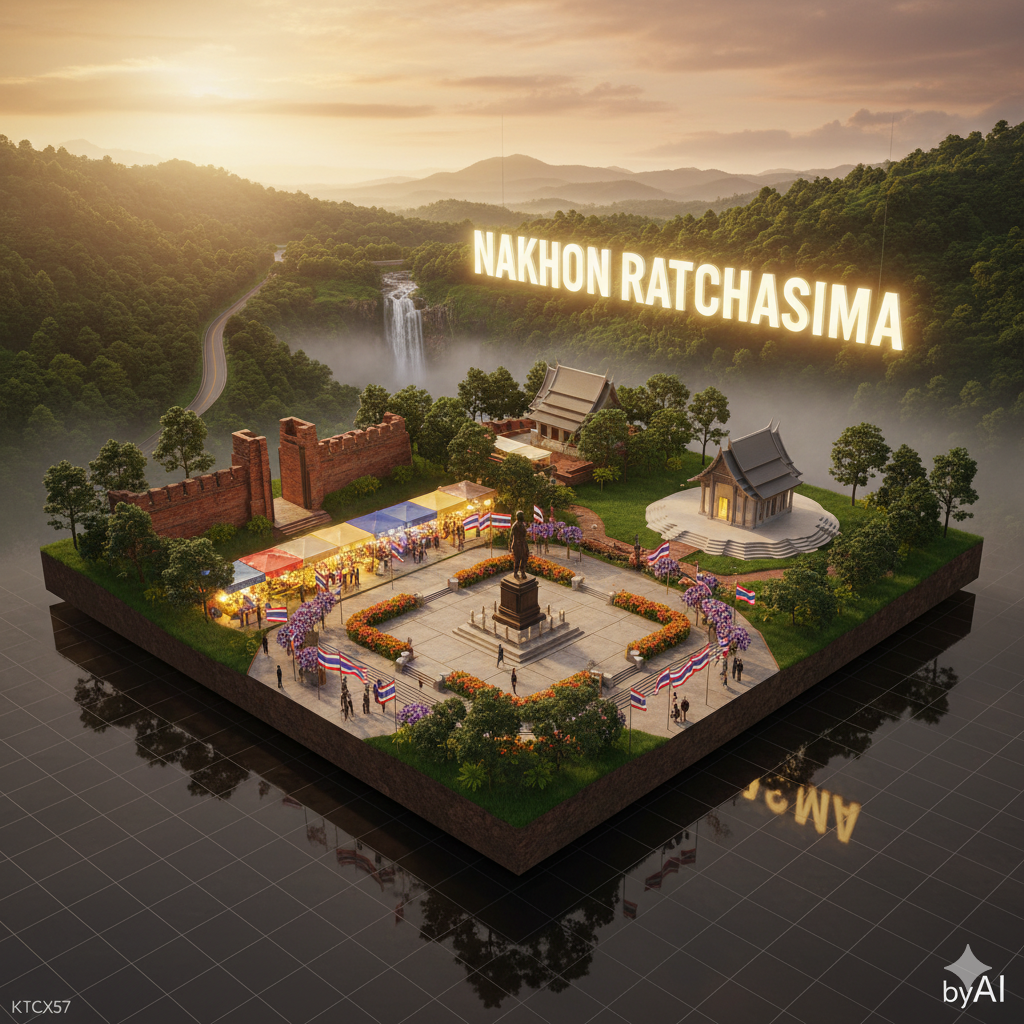
Provin
Source-attributed Nano Banana Pro image prompt from the Awesome Nano Banana Pro Prompts repository with preview image and reuse review notes.
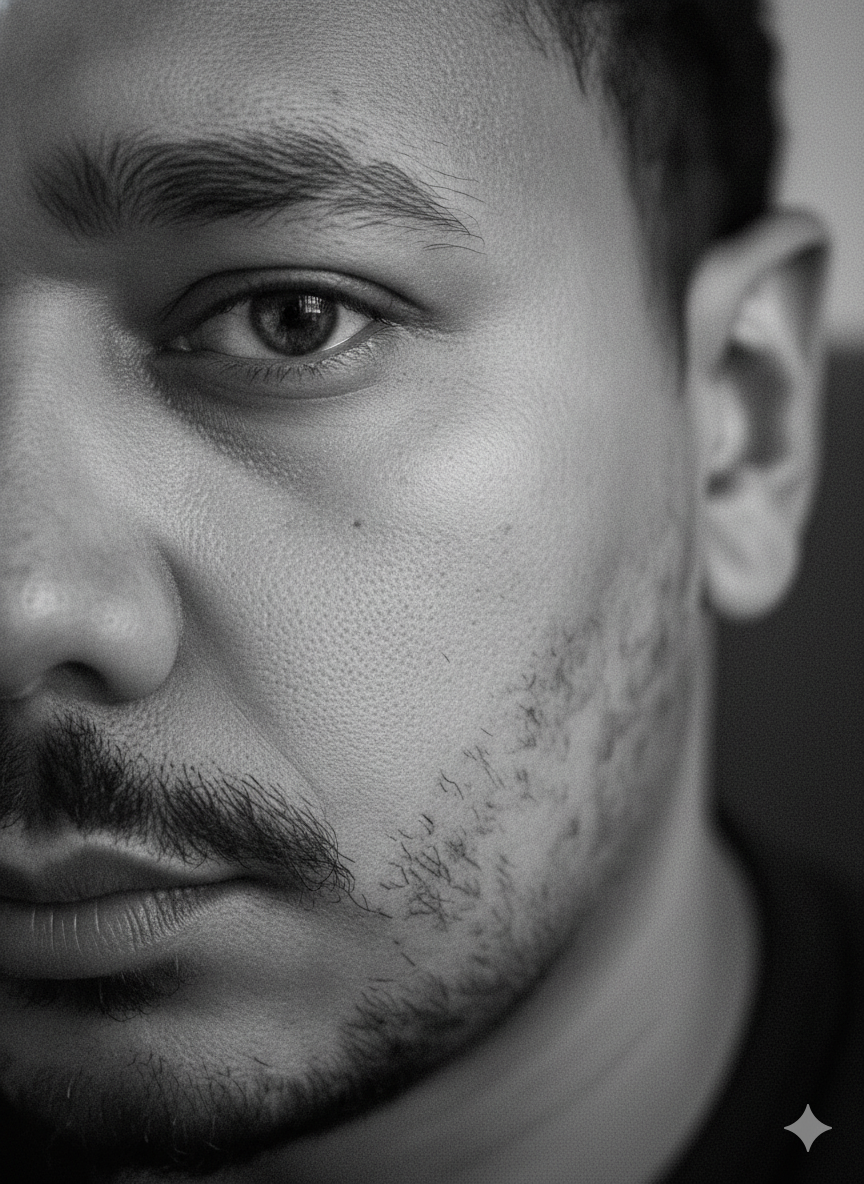
Dette er et Nano Banana Pro -eksempel på en prompt for Portrait Photography . Brug den kopieringsklare prompt nedenfor til at generere lignende visuelle elementer, og gennemgå Awesome Nano Banana Pro Prompts -kreditering samt kommercielle brugsrettigheder før genbrug.
Har du brug for det fulde promptsæt? Brug Portrait Photography emnehub for flere relaterede eksempler, eller åbn Nano Banana Pro hurtig katalog for det fulde eksempelindeks, genanvendelige strukturer og kildeattribution.
Hurtig
Klar til kopiering
🗺️ How to Edit the Provincial Diorama Prompt (Quick Guide)
1️⃣ Change the province name → edit "name_th" and "name_en_glow".
2️⃣ Replace landmarks → update the "landmarks" section with your own province’s highlights (temples, mountains, markets, beaches, etc.).
3️⃣ Adjust lighting mood → edit "time_of_day" (e.g., "sunrise", "sunset", "night").
4️⃣ Keep branding → don’t change "watermark": "byAI" or "authorship": "KTCX57".
5️⃣ Run it in Nano Ultra or Director mode — works great on Gemini, Banana, or Midjourney.
{
"template_name": "🗺️ เทมเพลตจังหวัด - นครราชสีมา (Nakhon Ratchasima)",
"mode": "Provincial Diorama",
"scene": {
"type": "3D Ultra-Photorealistic Diorama Model",
"layout": "Cinematic HDR wide shot, floating platform, full province landscape",
"composition": "structured layer depth — foreground (city/temples), midground (fields/mountains), background (sky & glowing sign)",
"environment": "soft golden sunlight, light fog layer, high dynamic range shadows, clear volumetric depth"
},
"province": {
"name_th": "นครราชสีมา",
"name_en_glow": "NAKHON RATCHASIMA",
"landmarks": [
{
"name": "อนุสาวรีย์ท้าวสุรนารี (ย่าโม)",
"type": "historical",
"placement": "center foreground plaza",
"detail": "bronze statue, urban square, surrounding flowers and flags"
},
{
"name": "อุทยานแห่งชาติเขาใหญ่",
"type": "natural",
"placement": "background mountain ridge",
"detail": "lush green forest canopy, waterfall mist, distant road curves"
},
{
"name": "วัดศาลาลอย",
"type": "temple",
"placement": "midground east",
"detail": "modern temple roof with curved lines, white stone base"
},
{
"name": "ประตูชุมพล",
"type": "architecture",
"placement": "midground west",
"detail": "ancient city gate brick walls, historical symbol"
},
{
"name": "ตลาดเซฟวัน",
"type": "urban",
"placement": "front-left",
"detail": "bright night market lights, people silhouettes, colorful stalls"
}
]
},
"camera": {
"lens": "Canon RF 24-70mm f/2.8",
"angle": "aerial diagonal top-down 35° tilt",
"focus": "sharp depth across entire scene",
"render": "PBR realism, 8K Ultra-Sharp HDR, clean perspective grid"
},
"lighting": {
"time_of_day": "sunset golden hour",
"mood": "warm & inspiring, glowing reflections on metal surfaces",
"technique": "cinematic HDR volumetric sunlight + ambient bounce lighting"
},
"materials": {
"ground": "PBR soil & grass blend",
"architecture": "stone, concrete, glass with accurate reflections",
"foliage": "true light scattering subsurface leaves"
},
"signage": {
"position": "background sky layer",
"text": "NAKHON RATCHASIMA",
"effect": "large glowing white-gold 3D letters with soft bloom glow"
},
"watermark": "byAI",
"authorship": "KTCX57",
"keep_face": "100%",
"keep_body": "100%",
"gender_lock": true
}
Flere sager i denne kategori
Prioriteret efter kategori, kompatibilitet med inputtilstande, kvalitet og lavere risiko.



Genbrug og kildenoter
Brug denne prompt sikkert efter at have gennemgået sagen.
- 1.Kopier prompten, eller åbn den direkte i Dovoo med genereringsknappen.
- 2.Juster variabler, billedformat og referencebilleder til din egen brug.
- 3.Før udgivelse eller betalt brug skal du verificere kilderettigheder, krav til kreditering og risici forbundet med branding eller lighed.