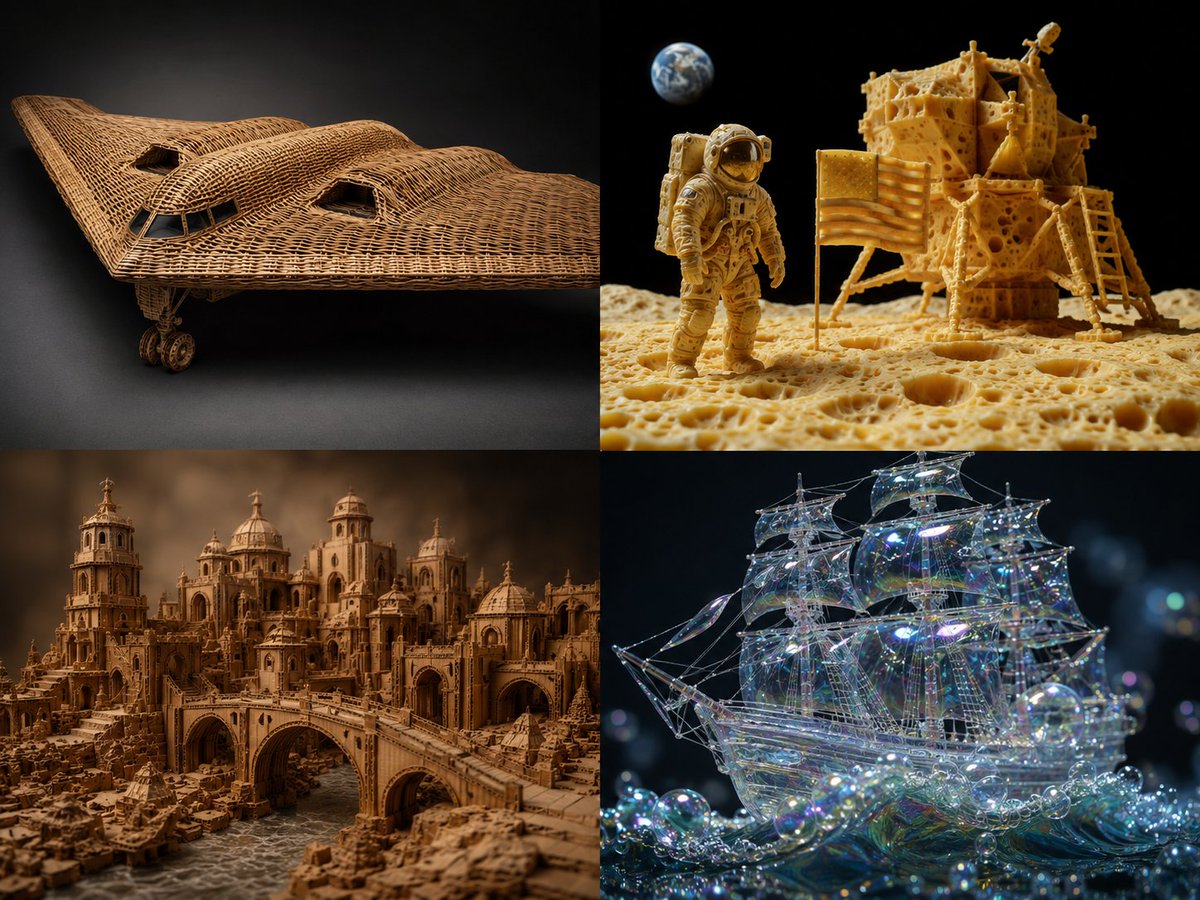
Material Transformation Physics Prompt
A technical material transformation prompt for GPT Image 2 that uses mapping rules to realistically reconstruct objects in new materials while maintaining physical plausibility.
Dette er et GPT Image 2 -eksempel på en prompt for Illustration og kunst . Brug den kopieringsklare prompt nedenfor til at generere lignende visuelle elementer, og gennemgå Awesome GPT Image 2 Prompts -kreditering samt kommercielle brugsrettigheder før genbrug.
Free 1K preview
Generate one preview image instantly, no sign-up required.
Free text preview doesn’t preserve reference-image consistency.
Hurtig
Klar til kopiering
2x2 grid, {argument name="source object" default="b2 plane, moon landing scene"}, 2 other complex scenes with 4 fun materials -> translation_solve(source_object → target_material): source = [object] target_mat = [material] mapping_rules: - source.primary_function → target_mat.equivalent_function_in_new_material - source.surface_detail → target_mat.characteristic_texture * 2.0 - source.joinery_method → infer(connection_type from target_mat.physics) - source.weight_distribution → target_mat.density_logic * 1.5 - source.color_scheme → infer(natural_palette from target_mat.typical_hues) render( subject = source reconstructed_in target_mat, realism = "material properties must be physically plausible" * 1.8, detail = "zoomed macro view showing material authenticity" * 1.6, context = "isolated on complementary background" * 1.2 ) + studio_product_photography - (photoshop_texture_overlay / 5) - (impossible_material_behavior / 4) example: "{argument name="example source" default="sports car"} → {argument name="example material" default="woven rattan"}"Promptvariabler
Redigerbare argumentpladsholdere fundet i prompten med deres standardværdier.
Best for
- - Illustration og kunst visual exploration
- - Image generation and reference-image edits
- - Reusable briefs that keep source attribution visible
Change these parts
- - Subject, product, character, or scene
- - Aspect ratio, camera, lighting, and background
- - Brand, text, color, and output constraints
Recommended model and settings
- - Model: gpt-image-2
- - Input mode: Billede til billede
- - Aspect ratio: source
- - Commercial status: review original source
How to use this prompt
- 1. Copy the prompt and preserve its structure for the first test.
- 2. Replace the subject, context, and publishing channel.
- 3. Change one camera, lighting, or style variable per iteration.
- 4. Inspect the output, source, text, and rights before reuse.
Limitations, source, and reuse cautions
- - Generated output is an editable draft, not factual, legal, or rights evidence.
- - Review the linked source, people, brands, logos, text, and third-party media before commercial use.
Flere sager i denne kategori
Prioriteret efter kategori, kompatibilitet med inputtilstande, kvalitet og lavere risiko.






Genbrug og kildenoter
Brug denne prompt sikkert efter at have gennemgået sagen.
- 1.Kopier prompten, eller åbn den direkte i Dovoo med genereringsknappen.
- 2.Juster variabler, billedformat og referencebilleder til din egen brug.
- 3.Før udgivelse eller betalt brug skal du verificere kilderettigheder, krav til kreditering og risici forbundet med branding eller lighed.