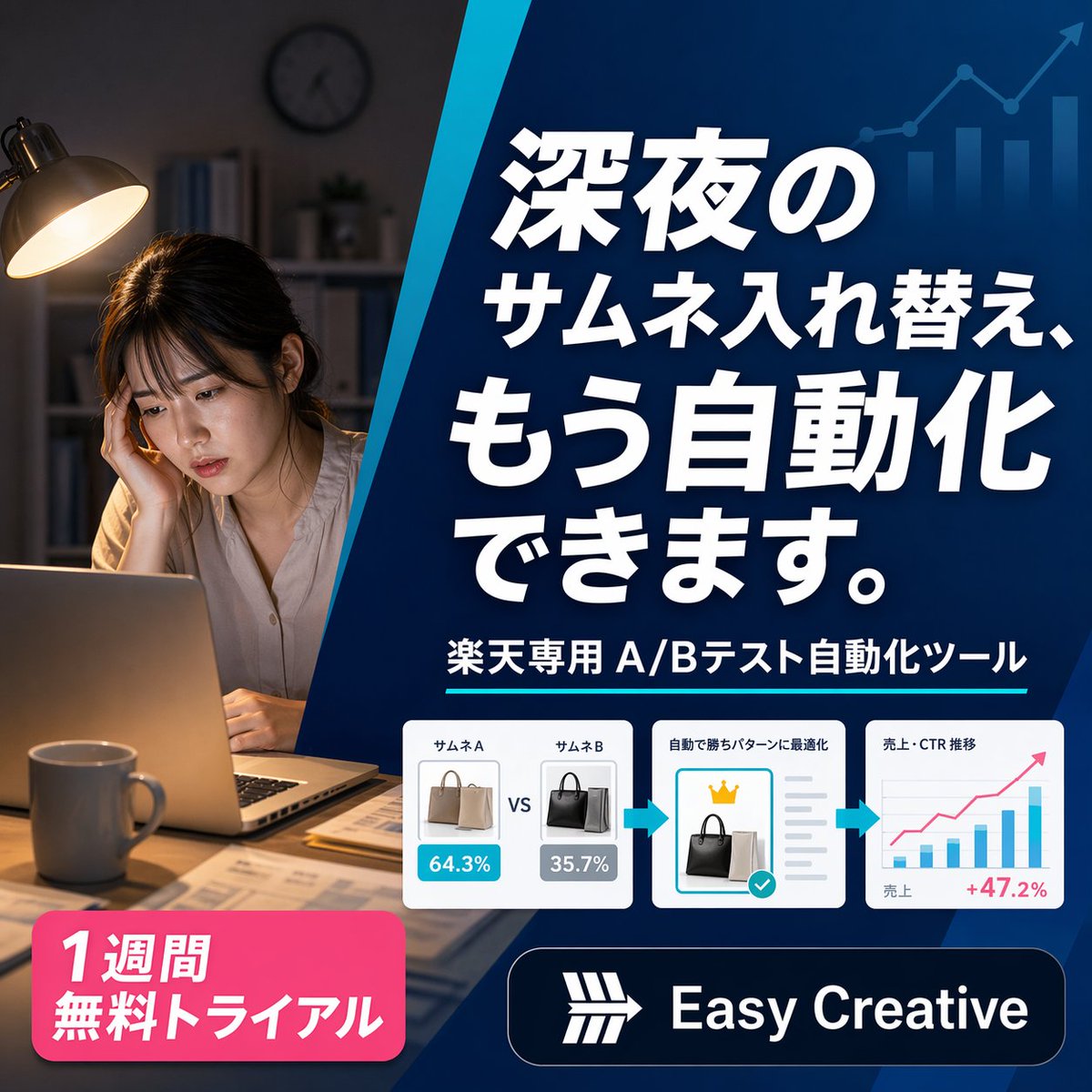
Japansk SaaS-annoncebanner om natten
Et firkantet japansk reklamebanner til et automatiseringsværktøj til e-handels-A/B-testning, ideelt til annoncer, landingssider og marketingkreativer på sociale medier.
Dette er et GPT Image 2 -eksempel på en prompt for Produkt og kommercielt . Brug den kopieringsklare prompt nedenfor til at generere lignende visuelle elementer, og gennemgå Awesome GPT Image 2 Prompts -kreditering samt kommercielle brugsrettigheder før genbrug.
Har du brug for det fulde promptsæt? Brug Produkt og kommercielt emnehub for flere relaterede eksempler, eller åbn GPT Image 2 hurtig katalog for det fulde eksempelindeks, genanvendelige strukturer og kildeattribution.
Free 1K preview
Generate one preview image instantly, no sign-up required.
2486/4000
Hurtig
Klar til kopiering
A polished square Japanese digital advertising banner for an AI e-commerce optimization tool, split into 2 main visual zones by a bold diagonal blue divider running from upper center to lower center-left. On the left third, show a realistic nighttime home-office scene with 1 tired young woman sitting at a desk, Show every face clearly with natural, detailed facial features, resting her head on one hand while looking at an open laptop. Warm desk-lamp lighting illuminates her and the desk, with a mug in the foreground, scattered papers, shelves and a wall clock softly out of focus in the dark background, creating a late-night overwork mood. On the right two-thirds, place a deep blue gradient promotional panel with subtle financial-growth graphics in the background: 1 ascending line chart with arrow and 4 vertical bar-chart columns in a lighter transparent blue near the top right. Fill this panel with bold oversized Japanese headline text in white with strong drop shadow, stacked across 4 lines: {argument name="headline text" default="深夜の\nサムネ入れ替え、\nもう自動化\nできます。"}. Beneath it, add 1 subheadline line in white reading {argument name="subheadline text" default="楽天専用 A/Bテスト自動化ツール"}, accented by a thin cyan underline. Below that, place a horizontal process strip containing 3 white rounded-corner cards connected by 2 cyan right-pointing arrows. Card 1 shows 2 handbag thumbnails side by side labeled exactly 2 items: "サムネA" and "サムネB", with blue and gray percentage badges reading "64.3%" and "35.7%", and a centered "VS" between them. Card 2 shows 1 selected black handbag thumbnail, a small gold crown icon above it, gray checklist lines to the right, and a turquoise confirmation checkmark badge, with a small Japanese heading indicating automatic optimization. Card 3 shows 1 simple analytics chart with axes, several blue bars, 1 pink upward trend line, small Japanese labels for sales and CTR trend, and a pink result figure "+47.2%" at the lower right. At the bottom left, add 1 bright pink rounded promotional badge with bold white Japanese text on 2 lines: {argument name="offer text" default="1週間\n無料トライアル"}. At the bottom right, add 1 dark navy rounded logo bar containing a simple white geometric emblem and the brand name {argument name="brand name" default="Easy Creative"} in bold white sans-serif. Use a clean modern SaaS-ad aesthetic, high contrast, crisp typography, glossy UI cards, subtle shadows, and a professional conversion-focused layout sized 1:1.Promptvariabler
Redigerbare argumentpladsholdere fundet i prompten med deres standardværdier.
Variabel
headline text
Misligholdelse
深夜の\nサムネ入れ替え、\nもう自動化\nできます。
Variabel
subheadline text
Misligholdelse
楽天専用 A/Bテスト自動化ツール
Variabel
offer text
Misligholdelse
1週間\n無料トライアル
Variabel
brand name
Misligholdelse
Easy Creative
Best for
- - Produkt og kommercielt visual exploration
- - Image generation and reference-image edits
- - Reusable briefs that keep source attribution visible
Change these parts
- - Subject, product, character, or scene
- - Aspect ratio, camera, lighting, and background
- - Brand, text, color, and output constraints
Recommended model and settings
- - Model: gpt-image-2
- - Input mode: Tekst til billede
- - Aspect ratio: source
- - Commercial status: review original source
How to use this prompt
- 1. Copy the prompt and preserve its structure for the first test.
- 2. Replace the subject, context, and publishing channel.
- 3. Change one camera, lighting, or style variable per iteration.
- 4. Inspect the output, source, text, and rights before reuse.
Limitations, source, and reuse cautions
- - Generated output is an editable draft, not factual, legal, or rights evidence.
- - Review the linked source, people, brands, logos, text, and third-party media before commercial use.
Importeret fra Awesome GPT Image 2 Prompts . Kreditering er påkrævet. Status for kommerciel brug er allowed ; gennemgå kilderettighederne før betalt brug.
Flere sager i denne kategori
Prioriteret efter kategori, kompatibilitet med inputtilstande, kvalitet og lavere risiko.






Genbrug og kildenoter
Brug denne prompt sikkert efter at have gennemgået sagen.
- 1.Kopier prompten, eller åbn den direkte i Dovoo med genereringsknappen.
- 2.Juster variabler, billedformat og referencebilleder til din egen brug.
- 3.Før udgivelse eller betalt brug skal du verificere kilderettigheder, krav til kreditering og risici forbundet med branding eller lighed.