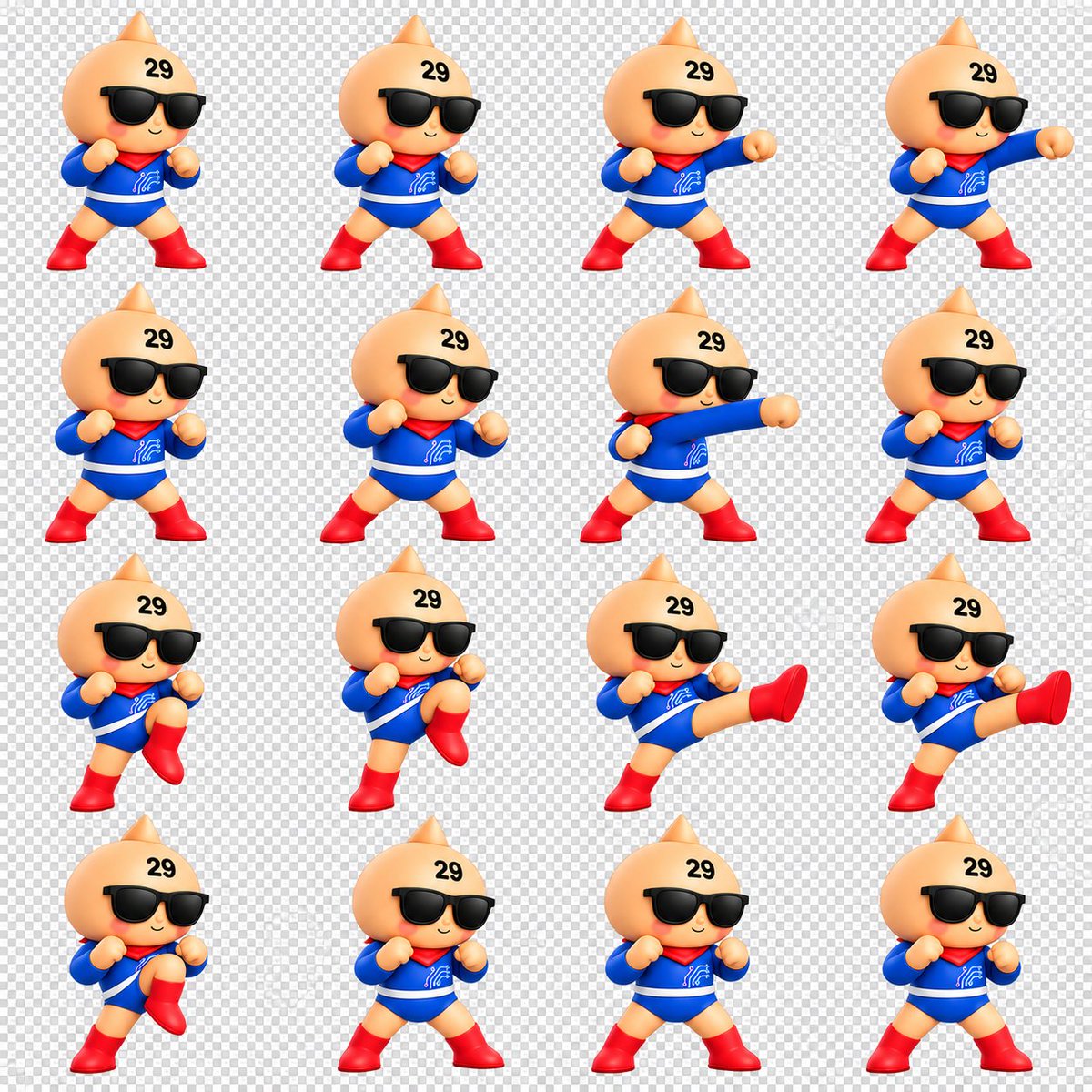
Chibi Mascot Fighting Sprite Sheet
Creates a 16-frame 3D chibi mascot battle animation sprite sheet for GIFs, games, or character motion studies.
Dette er et GPT Image 2 -eksempel på en prompt for Anime og spil . Brug den kopieringsklare prompt nedenfor til at generere lignende visuelle elementer, og gennemgå Awesome GPT Image 2 Prompts -kreditering samt kommercielle brugsrettigheder før genbrug.
Har du brug for det fulde promptsæt? Brug Anime og spil emnehub for flere relaterede eksempler, eller åbn GPT Image 2 hurtig katalog for det fulde eksempelindeks, genanvendelige strukturer og kildeattribution.
Free 1K preview
Generate one preview image instantly, no sign-up required.
2279/4000
Hurtig
Klar til kopiering
Goal: Create a clean 3D chibi fighting animation sprite sheet for a cute mascot character, suitable for making a looping GIF.

Canvas: Square 1:1 canvas, about 1200 x 1200 px, with a transparent-background preview shown as a light gray checkerboard. Arrange the sprites in an evenly spaced 4 columns by 4 rows grid, for exactly 16 separate animation frames. Leave generous padding around each character and keep all frames at a consistent scale.

Character: A toy-like glossy 3D chibi mascot with a peach-colored round onion/droplet-shaped head and a small pointed top, tiny smiling mouth, rosy cheeks, oversized black sunglasses, and the black number {argument name="forehead number" default="29"} printed on the upper forehead. The body is small and heroic, wearing a bright {argument name="suit color" default="blue"} long-sleeve bodysuit with a white belt stripe, a red scarf/capelet at the neck, a small white circuit-like emblem on the chest, red gloves or rounded fists, and shiny red boots. Use soft studio lighting, smooth plastic/vinyl toy material, rounded proportions, and a cheerful confident expression.

Sprite actions: Depict exactly 16 frames of a simple battle motion sequence, all facing mostly forward with slight 3/4 turns. Count and show these frames in order from left to right, top to bottom: 1 neutral guard stance with both fists raised; 2 wider guard stance; 3 right-arm straight punch beginning; 4 right-arm punch fully extended; 5 reset guard stance; 6 guard stance leaning slightly; 7 long straight punch across the body; 8 return to guard; 9 left knee lift preparation; 10 higher knee lift; 11 side kick fully extended to the right; 12 second extended side kick frame; 13 knee lift recovery; 14 neutral guard stance; 15 neutral guard stance variation; 16 final neutral guard stance.

Visual style: High-quality cute 3D render, Nintendo-like mascot toy aesthetic, crisp edges, saturated primary colors, soft shadows, consistent camera angle, consistent character size, no motion blur, no outlines except natural 3D shading.

Constraints: No text labels other than the forehead number. Do not add weapons, backgrounds, UI elements, frame borders, watermarks, or extra characters. Keep the checkerboard transparency preview visible behind every frame.
Promptvariabler
Redigerbare argumentpladsholdere fundet i prompten med deres standardværdier.
Variabel
forehead number
Misligholdelse
29
Variabel
suit color
Misligholdelse
blue
Best for
- - Anime og spil visual exploration
- - Image generation and reference-image edits
- - Reusable briefs that keep source attribution visible
Change these parts
- - Subject, product, character, or scene
- - Aspect ratio, camera, lighting, and background
- - Brand, text, color, and output constraints
Recommended model and settings
- - Model: gpt-image-2
- - Input mode: Tekst til billede
- - Aspect ratio: source
- - Commercial status: review original source
How to use this prompt
- 1. Copy the prompt and preserve its structure for the first test.
- 2. Replace the subject, context, and publishing channel.
- 3. Change one camera, lighting, or style variable per iteration.
- 4. Inspect the output, source, text, and rights before reuse.
Limitations, source, and reuse cautions
- - Generated output is an editable draft, not factual, legal, or rights evidence.
- - Review the linked source, people, brands, logos, text, and third-party media before commercial use.
Importeret fra Awesome GPT Image 2 Prompts . Kreditering er påkrævet. Status for kommerciel brug er allowed ; gennemgå kilderettighederne før betalt brug.
Flere sager i denne kategori
Prioriteret efter kategori, kompatibilitet med inputtilstande, kvalitet og lavere risiko.

Anime Girl Heterochromia Portrait
Tekst til billede

Cute Speech Bubble Mascot Profile Icon
Tekst til billede

Autumn Cozy Casual Outfit Prompt
Tekst til billede

Cute Focus Desk Flat Lay and Kawaii Illustration
Tekst til billede

Studio Portrait of Woman with Sunglasses
Tekst til billede

Street Selfie with Cat in Matching Cap
Tekst til billede
Genbrug og kildenoter
Brug denne prompt sikkert efter at have gennemgået sagen.
- 1.Kopier prompten, eller åbn den direkte i Dovoo med genereringsknappen.
- 2.Juster variabler, billedformat og referencebilleder til din egen brug.
- 3.Før udgivelse eller betalt brug skal du verificere kilderettigheder, krav til kreditering og risici forbundet med branding eller lighed.