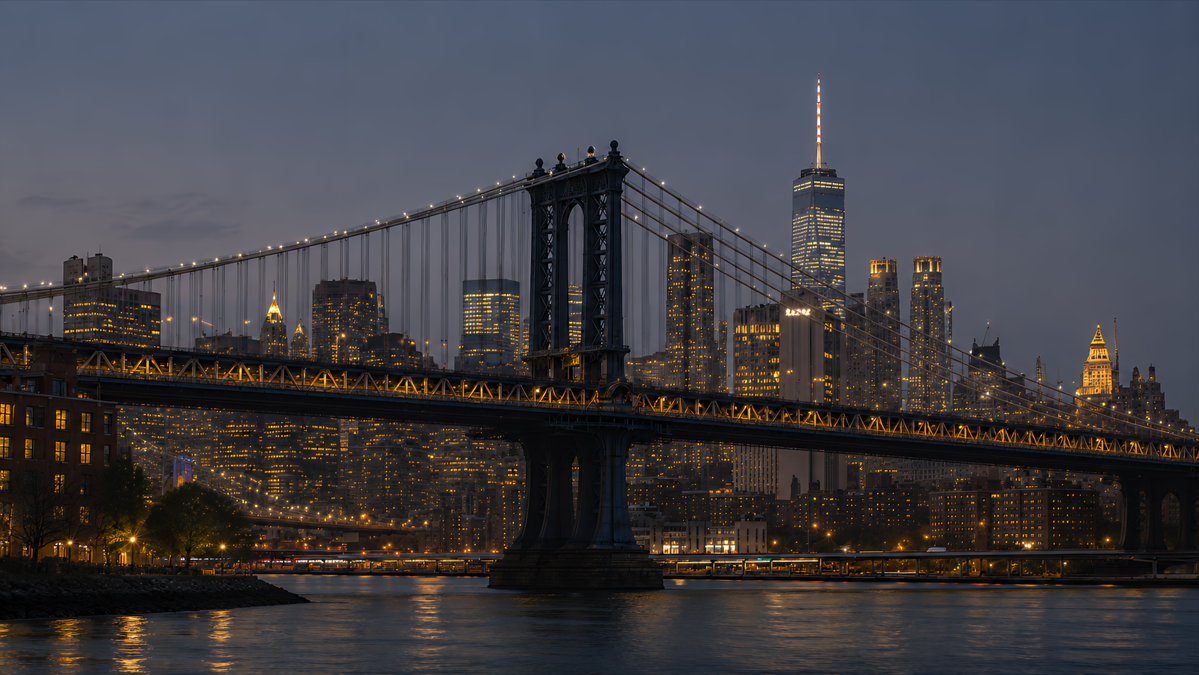
NYC Bridge Blue Hour Wallpaper
Creates a cinematic 16:9 photorealistic New York desktop wallpaper by transforming a skyline reference into a Manhattan Bridge blue-hour waterfront scene.
هذا GPT Image 2 لحالة المناظر الطبيعية . استخدم النموذج الجاهز للنسخ أدناه لإنشاء صور مشابهة، وراجع حقوق الإسناد Awesome GPT Image 2 Prompts وحقوق الاستخدام التجاري قبل إعادة الاستخدام.
هل تحتاج إلى مجموعة كاملة من المطالبات؟ استخدم المناظر الطبيعية للاطلاع على المزيد من الأمثلة ذات الصلة، أو افتح مركز المواضيع. GPT Image 2 كتالوج سريع للاطلاع على فهرس الأمثلة الكامل، والهياكل القابلة لإعادة الاستخدام، ونسب المصادر.
Free 1K preview
Generate one preview image instantly, no sign-up required.
1007/4000
المطالبة
نموذج جاهز للطباعة
Using the provided New York skyline reference as the visual and lighting base, create a {argument name="resolution target" default="4K desktop wallpaper"} in a wide 16:9 composition. Change the viewpoint to a waterfront scene featuring the Manhattan Bridge spanning across the foreground, with its dark steel towers, suspension cables, and warm string lights clearly visible. Replace the original Empire State Building-centered skyline with a Lower Manhattan skyline in the background, including One World Trade Center rising prominently on the right side. Shift the mood to {argument name="time of day" default="blue hour after sunset"}: a deep muted blue-gray sky, glowing office windows, warm amber bridge lights, and soft reflections on the river. Add a calm East River foreground with subtle ripples, shoreline silhouettes, and realistic city haze for depth. Style should be photorealistic, cinematic, crisp, high-detail, polished for wallpaper use, with no people, no text, no logos, and no watermark.متغيرات المطالبة
عناصر نائبة قابلة للتعديل موجودة في موجه الأوامر، مع قيمها الافتراضية.
عامل
resolution target
تقصير
4K desktop wallpaper
عامل
time of day
تقصير
blue hour after sunset
Best for
- - المناظر الطبيعية visual exploration
- - Image generation and reference-image edits
- - Reusable briefs that keep source attribution visible
Change these parts
- - Subject, product, character, or scene
- - Aspect ratio, camera, lighting, and background
- - Brand, text, color, and output constraints
Recommended model and settings
- - Model: gpt-image-2
- - Input mode: تحويل النص إلى صورة
- - Aspect ratio: source
- - Commercial status: review original source
How to use this prompt
- 1. Copy the prompt and preserve its structure for the first test.
- 2. Replace the subject, context, and publishing channel.
- 3. Change one camera, lighting, or style variable per iteration.
- 4. Inspect the output, source, text, and rights before reuse.
Limitations, source, and reuse cautions
- - Generated output is an editable draft, not factual, legal, or rights evidence.
- - Review the linked source, people, brands, logos, text, and third-party media before commercial use.
مستورد من Awesome GPT Image 2 Prompts . يلزم ذكر المصدر. حالة الاستخدام التجاري هي allowed ؛ يرجى مراجعة حقوق المصدر قبل الاستخدام المدفوع.
المزيد من الحالات في هذه الفئة
يتم تحديد الأولويات حسب الفئة، وتوافق وضع الإدخال، والجودة، وانخفاض المخاطر.

GPT Image 2 Real-Life Character Street Snap
تحويل النص إلى صورة

Matte Black B.AI Keyboard Keycap
تحويل النص إلى صورة

MotoGP POV Cornering Shot
تحويل النص إلى صورة

Orange Rooftop Fashion Photo Prompt
تحويل النص إلى صورة

Luxury Travel Fashion Portrait Prompt
تحويل النص إلى صورة

Cute Focus Desk Flat Lay and Kawaii Illustration
تحويل النص إلى صورة
إعادة استخدام الملاحظات ومصادرها
استخدم هذا التنبيه بأمان بعد معاينة الحالة.
- 1.انسخ الرسالة أو افتحها مباشرة في Dovoo باستخدام زر الإنشاء.
- 2.قم بتعديل المتغيرات ونسبة العرض إلى الارتفاع والصور المرجعية لتناسب حالة استخدامك الخاصة.
- 3.قبل النشر أو الاستخدام المدفوع، تحقق من حقوق المصدر، ومتطلبات الإسناد، ومخاطر العلامة التجارية أو التشابه.